How to Check Aadhaar PVC Card Status (Step by Step)
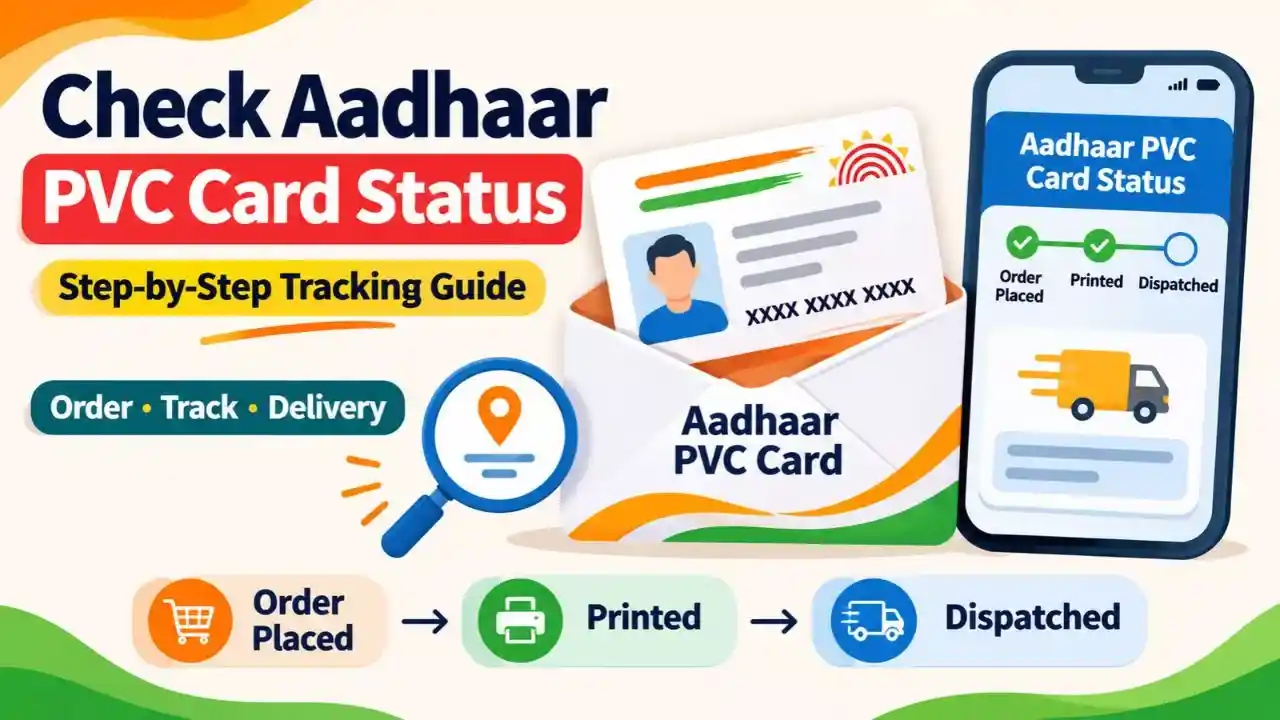
After ordering the PVC Aadhaar Card, it is important to check its status. In this article, we will learn how to check the PVC Aadhaar Card status using both mobile and computer. If you want to track your PVC Aadhaar Card status, please read this post till the end.
Things Required to Check PVC Aadhaar Card Status
SRN (Service Request Number) : A 28-digit number received after placing your PVC Aadhaar Card order. It is sent via SMS and also shown on the acknowledgment slip.
Aadhaar Number / VID (Virtual ID): Enter your 12-digit Aadhaar number or 16-digit Virtual ID for verification.
Captcha Code:You’ll need to enter the characters shown in the captcha image for security verification.
How to Check Aadhaar PVC Card Status Using Computer or Laptop
On desktop devices, there is a slightly different process to check the PVC Aadhaar Card Status. Here are the simple steps to check the PVC card status with desktop devices.
Follow These Steps to Check Your PVC Aadhar Card Status :-
Step 1 : – Open Chrome Browser and go to the official website Visit My Aadhaar Portal
Step 2: – Scroll down and click on the card of Check Aadhaar PVC Card Order Status.
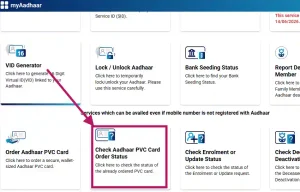
Step 3: – Enter the SRN number that came with your acknowledgment slip.
Step 4: – Fill in the captcha and click on the Submit button.
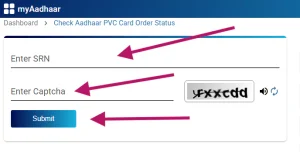
Step 5: – Make sure to enter the details carefully to avoid errors.
Step 6: – Wait for the system to fetch your PVC Aadhaar card status.
Steps to Check PVC Card Status Via Mobile
You can check your PVC card status via Android or iOS mobile phone. You just need the mAadhaar app. Follow these steps to check the status.
Follow These Steps to Check Your PVC Aadhar Card Status On Your Mobile Device :-
Step 1 : – First of all, install the mAadhaar app from the Play Store or App Store.
Step 2: -Now log in to the mAadhaar app using your registered mobile number and OTP.
Step 3: –Now click on Check Request.
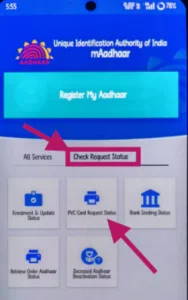
Step 4: – Then click on PVC Card Request Status.
Step 5: – To check the PVC card status, fill in the necessary details.
- Enter the SRN number.
- Fill in the captcha.
- Click on Check Status.
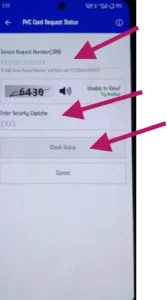
This is how you can check the status of your PVC Aadhaar Card using a mobile device. The steps are simple and quick to follow. Stay informed and track your card anytime from anywhere.
Conclusion
Checking your Aadhaar PVC Card status online is a simple process that helps you stay updated about your order and delivery. Whether you use a computer or the mAadhaar app, you can easily track your card using your Service Request Number (SRN) without visiting an Aadhaar centre.
Make sure to keep your SRN safe until your PVC card is delivered. If the status shows dispatched, you can also use the India Post tracking service to check the latest delivery updates.
FAQs
Q1. How can I check my Aadhaar PVC Card delivery status online?
You can check your Aadhaar PVC Card delivery status through the official UIDAI website using your Service Request Number (SRN).
Q2. What should I do if my Aadhaar PVC Card status shows dispatched but I haven’t received it?
If your order shows dispatched but the card has not arrived, check the Speed Post tracking details on the India Post website. If there is no delivery update, contact India Post or UIDAI for assistance.
Q3. What details are required to track an Aadhaar PVC Card order?
You generally need your SRN, which is generated when you successfully place an Aadhaar PVC Card order. Keep it safe for future tracking.